Introduction
Many photographers use their still cameras, or sometimes dedicated video cameras to record video as well. Traditionally, still photographers have relied on speedlights or strobes, while videographers have needed large continuous lights.
Today, hybrid photographers and videographers, who often use the same camera for both, can choose from a range of compact, sometimes even pocketable, continuous lights that work for both photography and video. Modern continuous lights also have a major advantage over speedlights, strobes, and traditional video lights: you can adjust their color to match the existing light or balance different light sources in a mixed-lighting setup.
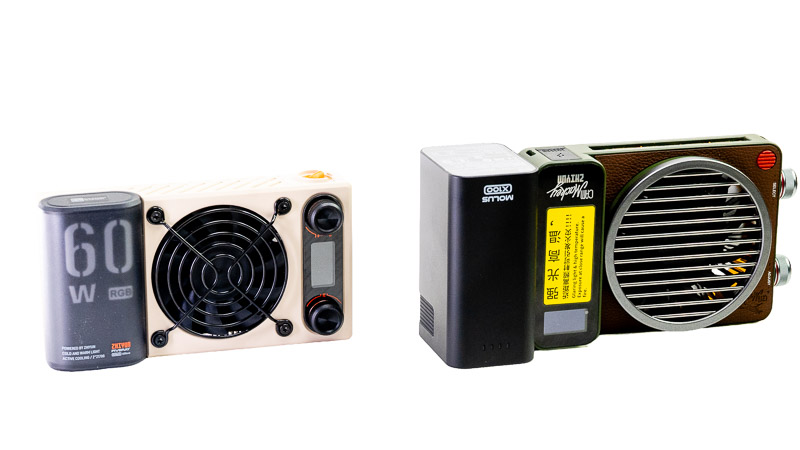
In this review, we’re looking at two such options from Zhiyun: the Fiveray M60 Ultra and the Molus X100 RGB. Both are compact, portable lights, but they take slightly different approaches to providing illumination for photography and video. We’ll look at their features, output, handling and performance in practice.
 You can see this review as a YouTube video here!
Disclosure
Zhiyun kindly provided the lights for testing and review purposes.
Specifications
| FIVERAY M60 Ultra | MOLUS X100 RGB | |
| Power (100% Brightness) | 60 W | 100 W |
| Light source | Multi-lens micro LED panel | |
| Unmodified Output @ 1m | ~6,490 Lux (at 6500K) | 3110 Lux |
| Color Temperature | 2500 K – 10,000 K (Full RGB) | 2700 – 10000 K |
| Power & Battery | Built-in 4500 mAh battery (USB-C PD) | 2,550 mAh |
| Modifier System | Magnetic attach (diffuser, grid, barndoors) | Expandable Bowens Mount / Light Modifier Kit |
| Color Accuracy | CRI 95 / TLCI 97 / SSIC | CRI 95 |
| Battery Power Supply | 4,500 mAh | 2550 mAh |
| Weight | ~430 g (with internal battery) | 385 g |
| Dimensions | 150*80*37.3 mm | 144.5*94*36.1 mm |
| Charging time |
2h 10min (PD)
|
2h 30mins (PD) |
| Continuous Usage Time | 30min (100% Power) |
34mins (100% Power)
|
| Color Temperature Range | 2700K-10000K | 2700k-10000k |
| Illuminance | 6,490 Lux | 3,110 Lux |
| Control Method | App (ZY Vega) / Manual | App (ZY Vega) / Manual |
| Compatibility | – | Expandable Bowens Mount / Light Modifier Kit |
| External Power Supply | – | PD Charging/Grip Battery Power Adapter |
| Where to Buy:
Molus X100 RGB $369 (Affiliate links) |
Variations
The X100 has been available as an older XC100, and there is also an X100 version. I am reviewing the Molus X100 RGB. On the XC100, the battery could not be detached, and neither the XC100 nor the X100 has Green/Magenta adjustments, while the X100 RGB has it.
Furthermore, the X100 only supports CCT mode with a range of 2700K-6500K, while X100 RGB’s CCT range is 2500K-10000K in addition to the RGB mode. X100 RGB has a max illuminance of 3110 Lux without modifiers at 1 m, while X100 has 3413 Lux.
Handling and Build Quality
Both lights are very compact and can easily fit in a bag or even a coat pocket. The difference is that the M60 comes with its power supply, so it’s ready to use straight out of the box. The Molus X100 RGB, on the other hand, requires a separate battery, which adds to its size and weight. It also needs a modifier unless you want to use its very hard light for creative purposes.
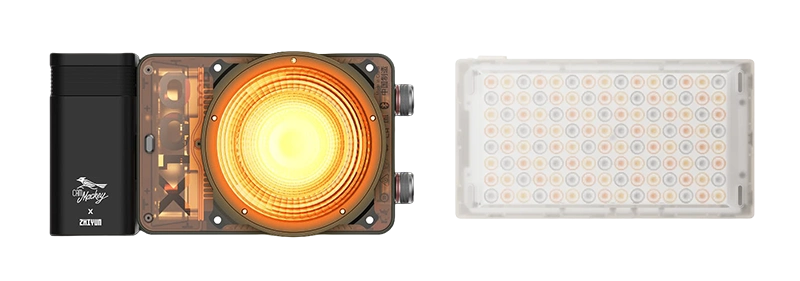
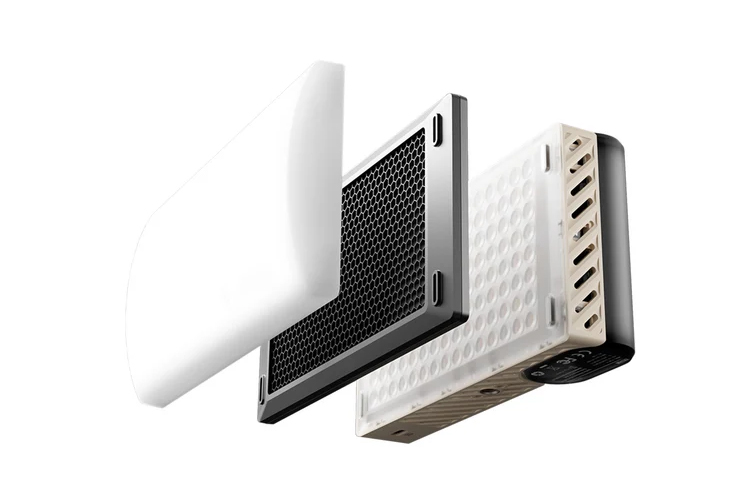
Let’s start with the M60 Ultra. It has an array of small LEDs spread across the entire front, with each LED equipped with its own lens. Without any modifier, the light is emitted from an area of approximately 12 × 7 cm, resulting in a relatively concentrated beam. Two magnetic attachments are included in the box: a honeycomb grid that narrows the beam further, and a diffuser dome that spreads the light.
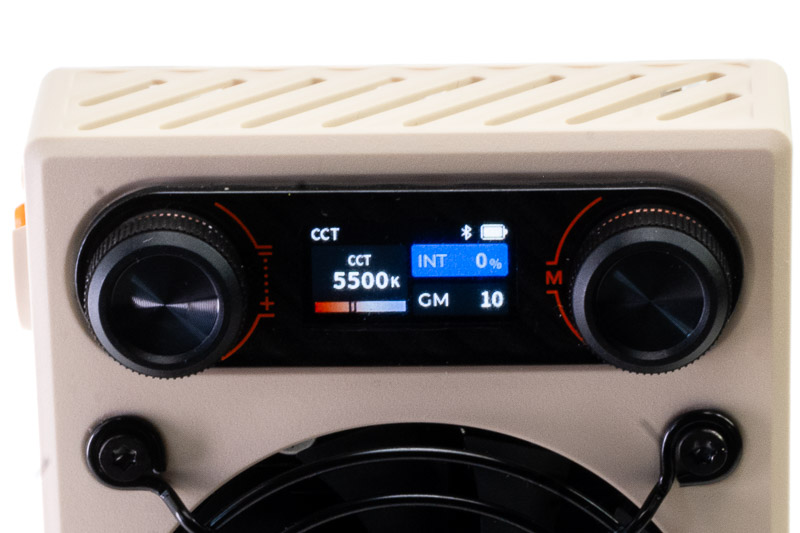
There is an On/Off dial on top, a 1/4-inch screw hole for tripod mounting, and a USB-C port for charging the battery on the bottom. On the rear, there are two knobs and a display. The right knob is used to select the different adjustments or modes, while the left knob changes the value of the selected setting.
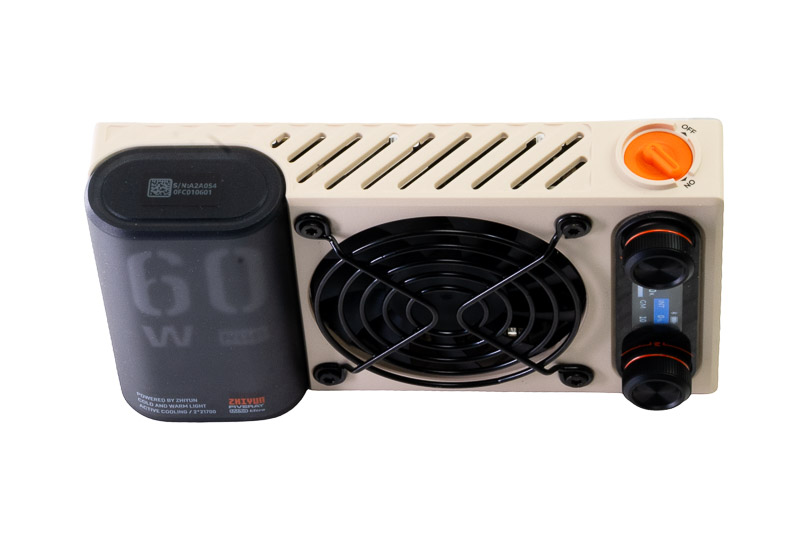
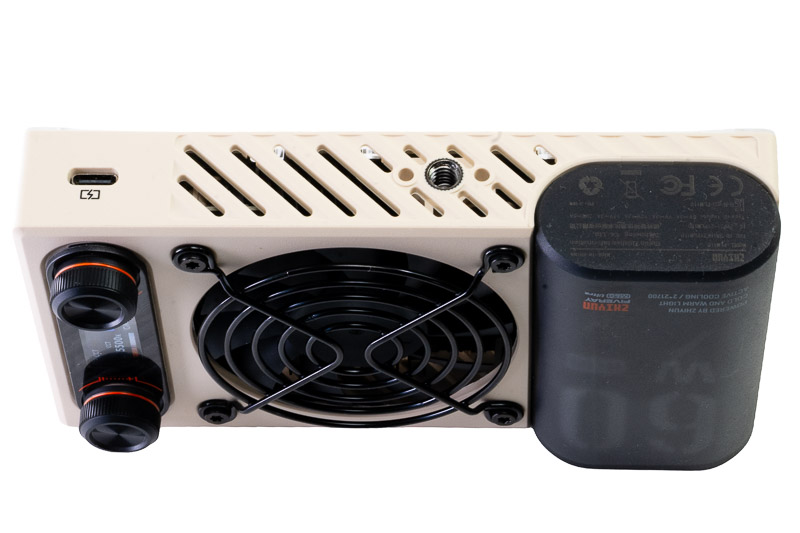
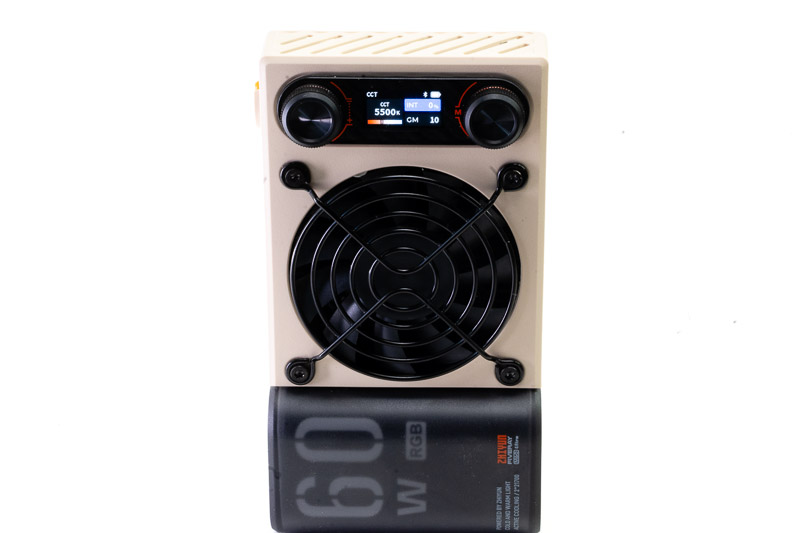
The available modes include CCT, which lets you adjust the color temperature of the white light and its intensity from 0 to 100%, as well as Green/Magenta adjustment. There is also HSI for Hue, Saturation and Intensity, with a color wheel; RGB mode with individual color adjustments and their intensity; and finally FX, where you can choose from a selection of built-in light effects.
Pressing the right knob once cycles through the different modes, while double-pressing it takes you back to the previous mode. Within each mode, you turn the right knob to cycle through the different settings, while the left knob adjusts the selected value. Pressing the left knob once will increase whatever value the focus is on by 20 units. These 20 units are actually different depending on the mode.
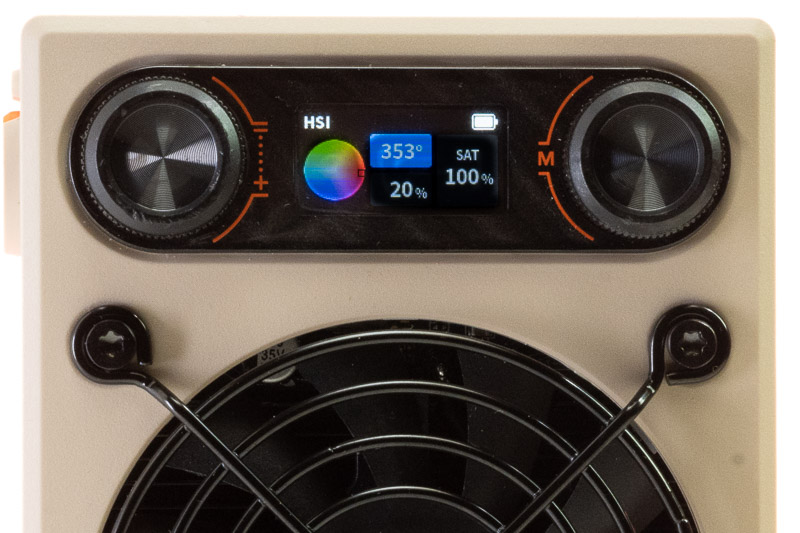
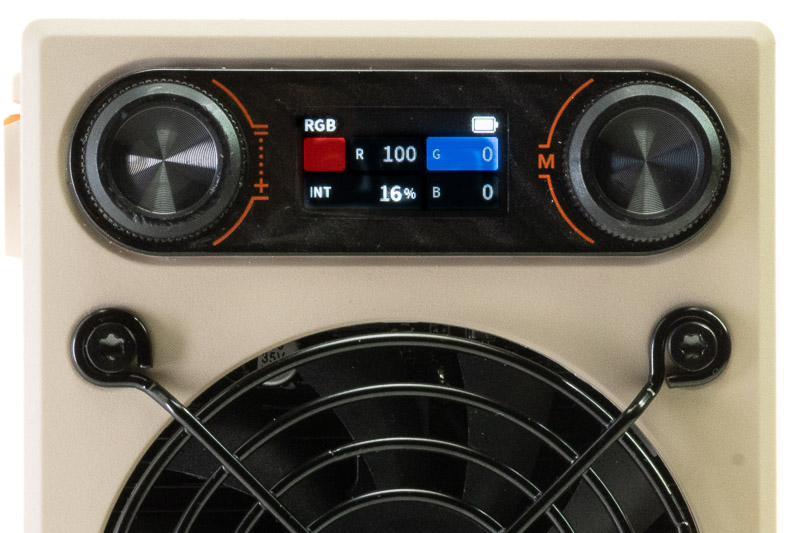
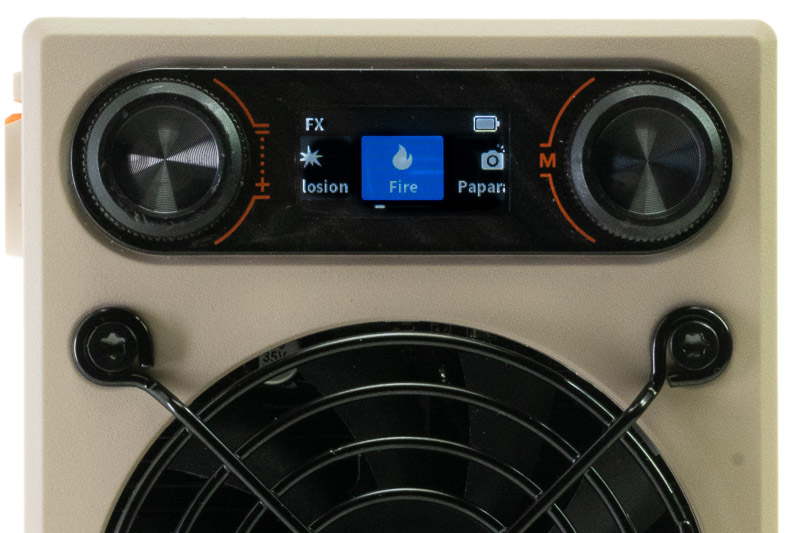
If you have several M60 Ultras, you can set one as the master and the rest as slaves, and when you change adjustments on the master, all the slaves’ adjustments are also changed accordingly. You can also manually set individual units, of course. Last but not least, you can also use an app to control the master settings or to control each unit.
Now, let’s have a look at the stronger light, the Molus X100 RGB.

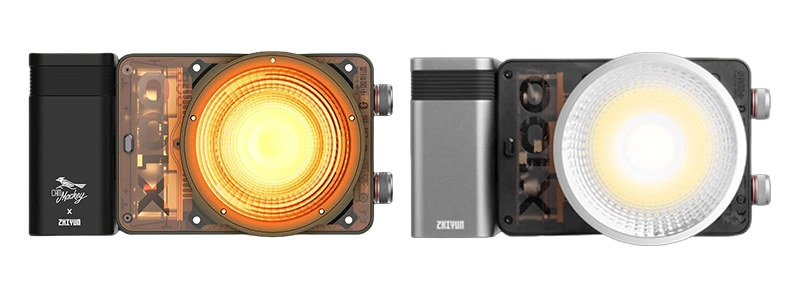

The differences, apart from its higher 100 W output, are that the X100 RGB uses a detachable battery and can also be powered from a DC adapter. The controls are also different. The two knobs are positioned on the side of the light and feel more tactile than those on the M60. They are labeled SELECT, instead of Mode, and ADJUST.
The display is also oriented differently: it can be read when the light is held horizontally, which is more natural when it is mounted on a stand, whereas the M60’s display is oriented for vertical use. Another important difference is the way the LEDs are arranged and how this affects the character of the light. The M60 Ultra has a relatively flat and broad LED array, with the light emitted across a larger surface. The Molus X100 RGB has a more compact and concentrated LED arrangement, producing a more directional beam. This gives the two lights a noticeably different character even before adding a modifier.
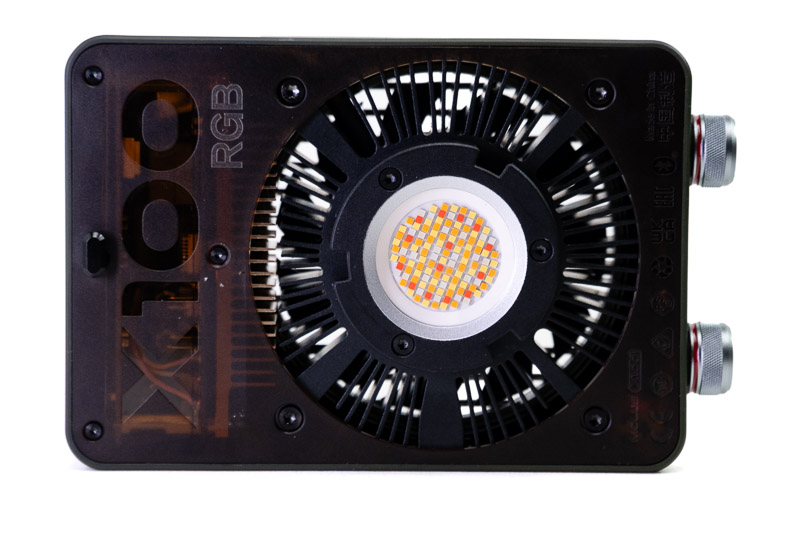
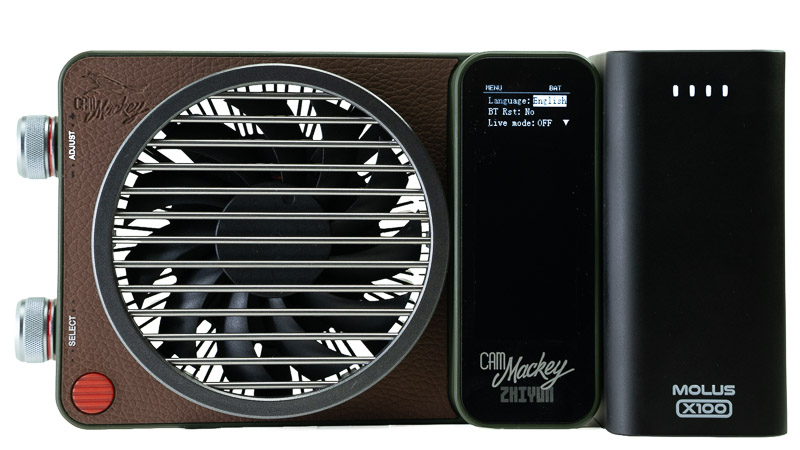
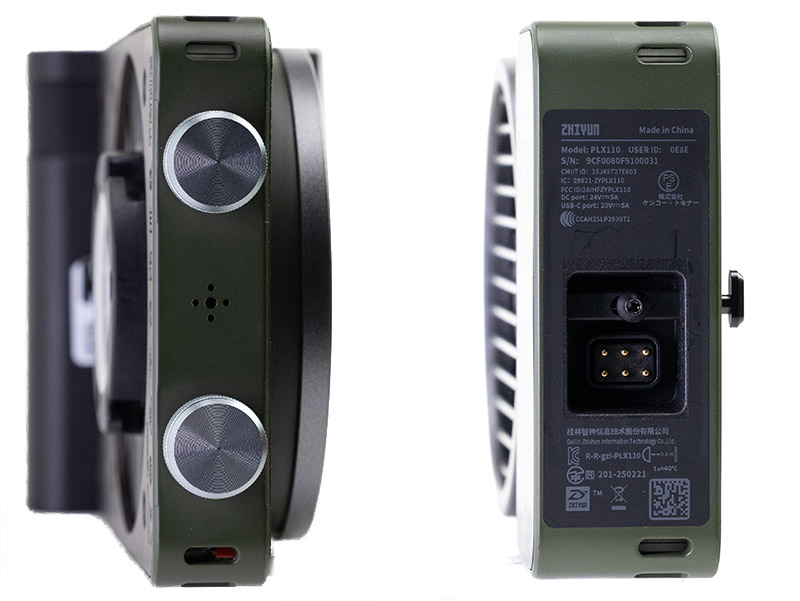
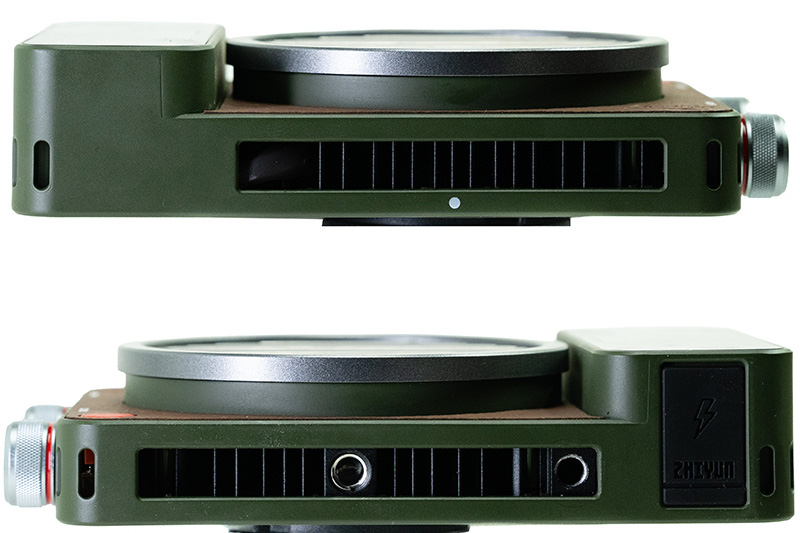
It has all the settings found on the M60 Ultra, including CCT, HSI, and RGB. It also has an FX mode with a range of special effects, such as Police Car, Strobe, Lightning, Disco, Fireworks, and more, which are also found on the M60 Ultra. There are also some additional menu options, including Music and Menu.
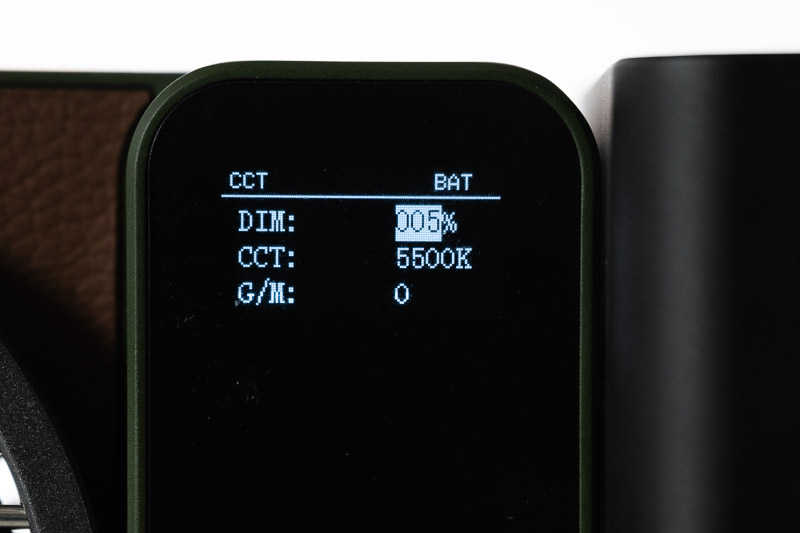
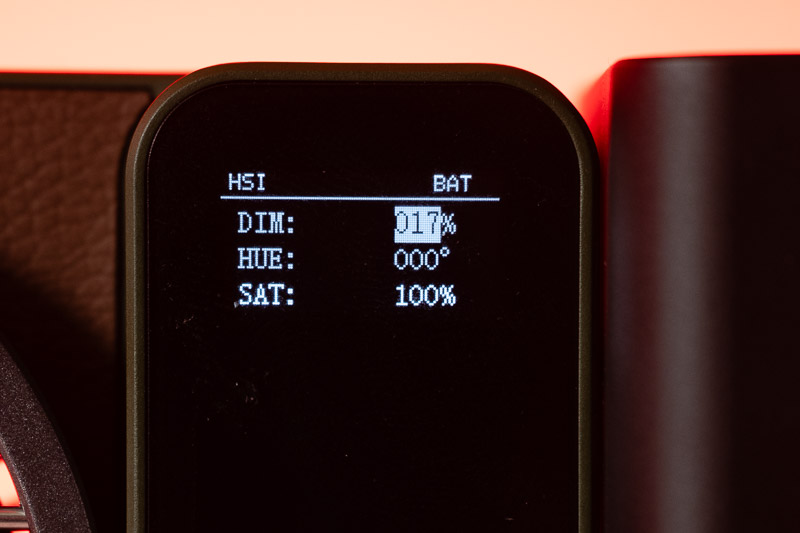
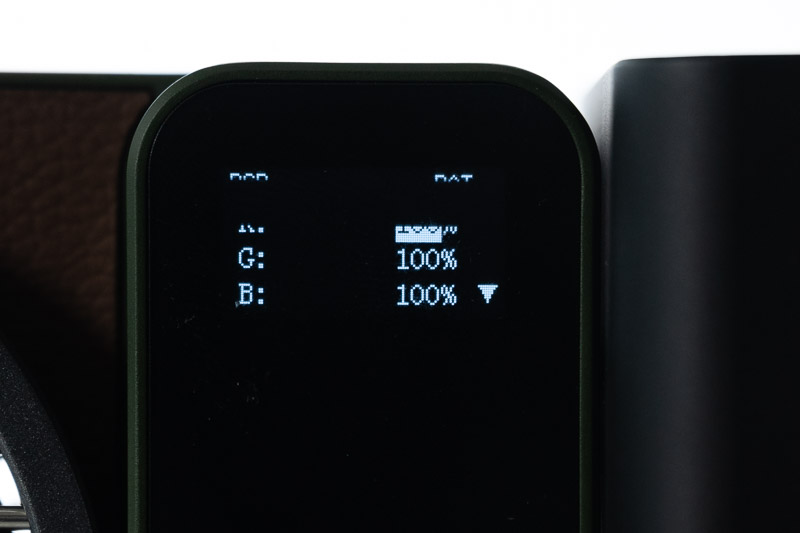
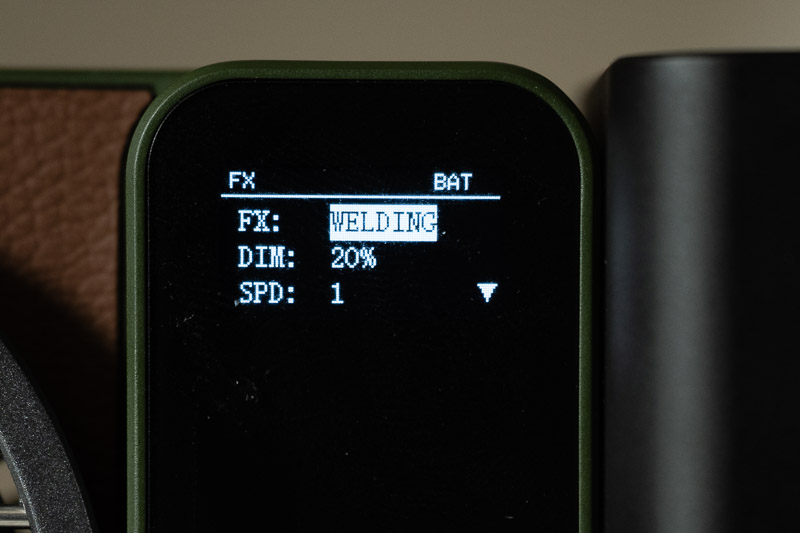
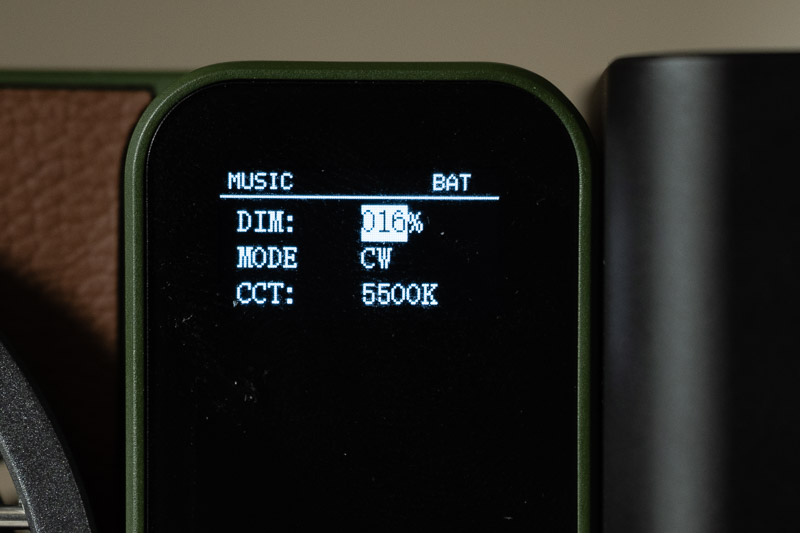
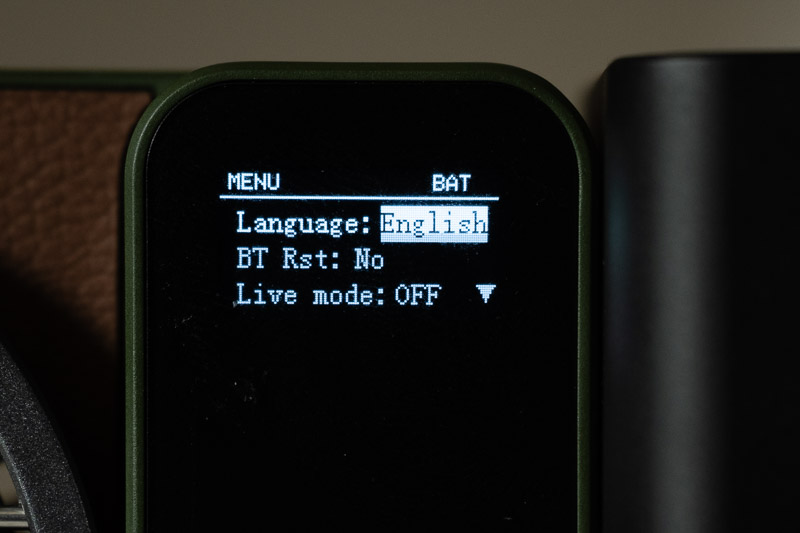
MUSIC mode on the Zhiyun Molus X100 turns the light into an audio-reactive effect where the illuminance pulses and flashes in sync with ambient sound or background music beats.
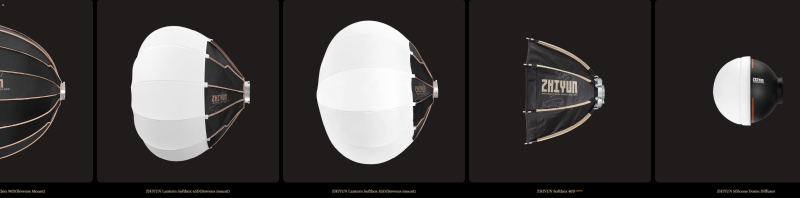
The biggest difference, though, apart from the higher output and different power system, is the ability to use a much wider range of modifiers. The light natively uses Zhiyun’s ZY mount, for which there are numerous modifiers available. It also comes with an adapter for Bowens-mount modifiers, which greatly increases the range of options.
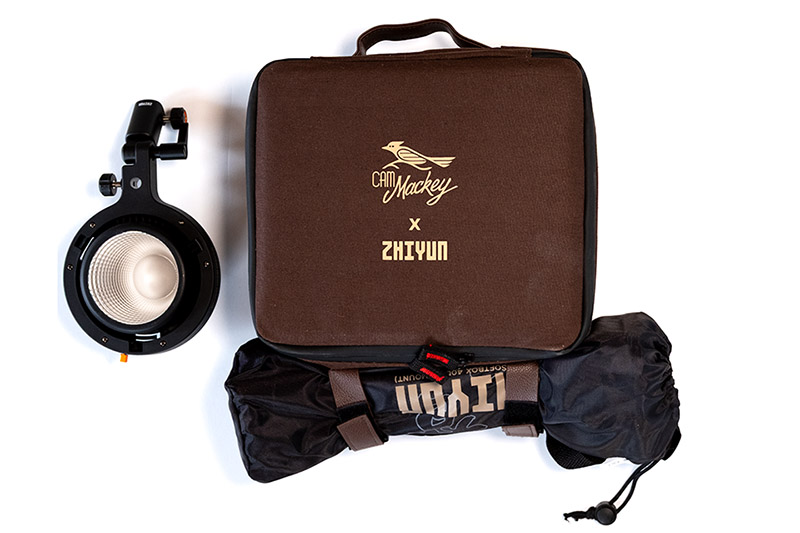
The Pro package comes with a barn door, a mini lens reflector, a 40 cm parabolic softbox, including a grid, a bag for carrying it, an AC adapter and a pouch for it, a battery, a USB-C charging cable, and a carrying bag for all of that, plus a Bowens mount adapter.
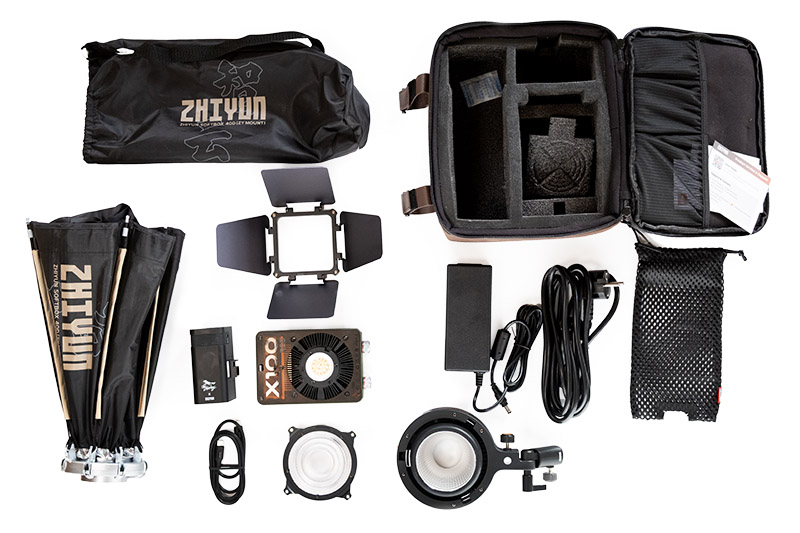
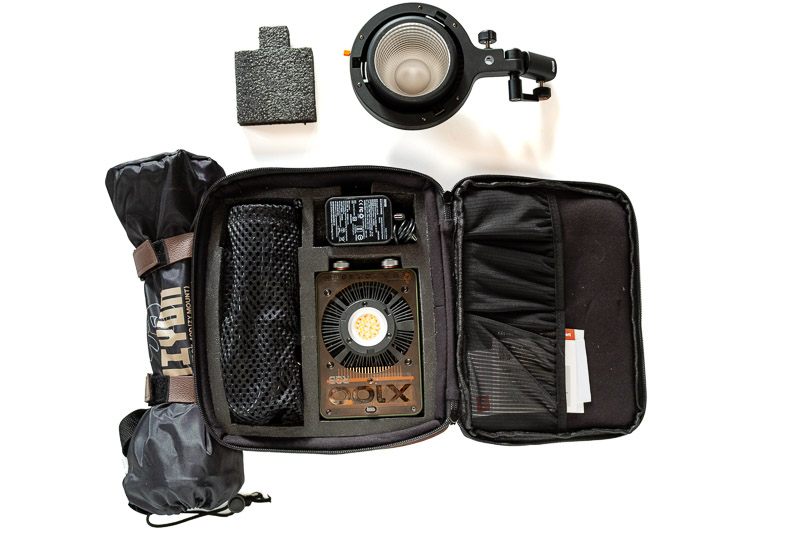
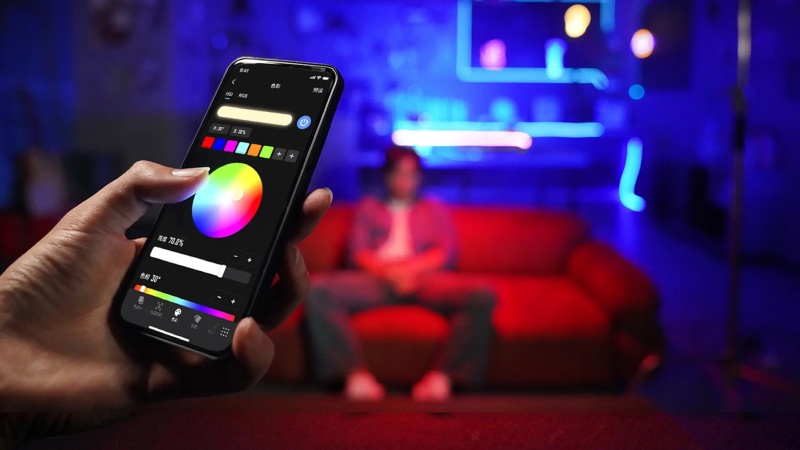
You can control all functions and settings for both lights using an app for Android and iPhone.
Practical use
Here is how the M60 Ultra illuminates a scene with a mannequin head in the frame. The mannequin head is life-sized.



Here you can see its effect as a fill light with the face in front of a window. The light is at about an arm’s length (≈80 cm)


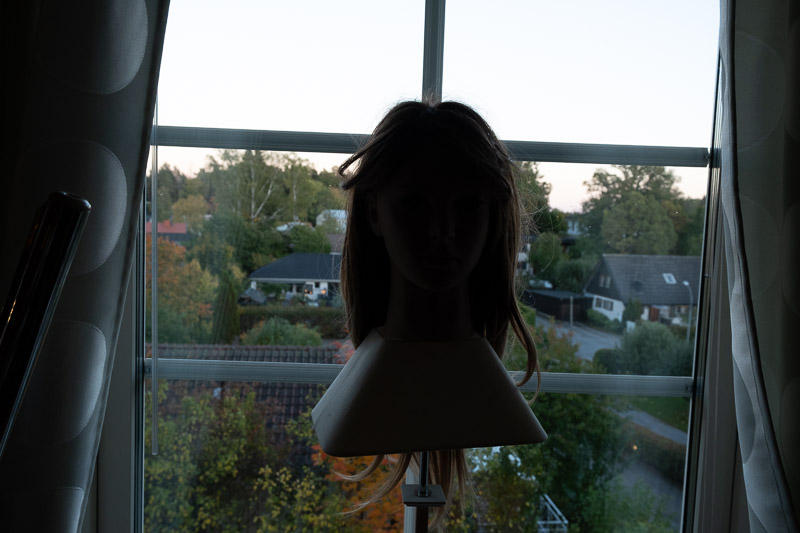
It’s just before sunset. The sun isn’t completely below the horizon yet, but the trees block the sunlight from reaching the street. The plastic dome reduces the light output by about 3 stops, so I reduced the light intensity to 1/8 when using it without the dome. With the dome, the fill light is softer, but it’s still hard even at this close distance. Even when photographing small objects, it is not easy to get soft, evenly lit lighting with only the FIVERAY M60 Ultra; this is the best I could do with the plastic dome and white reflectors underneath, behind, and on the opposite side of the object.
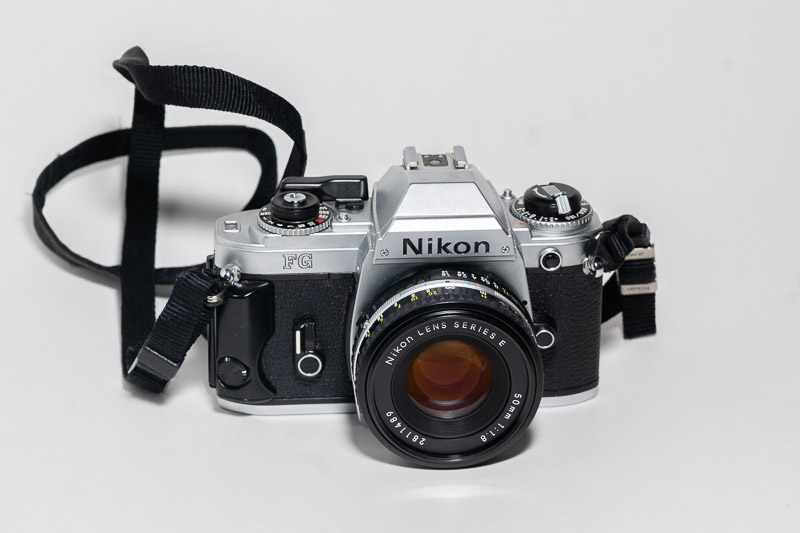
For the first version I set the light to 5500 K and the camera to white balance to “daylight”. The second one was corrected in post.
Of course, if you want to create special effects with semi-hard light, you can use it.
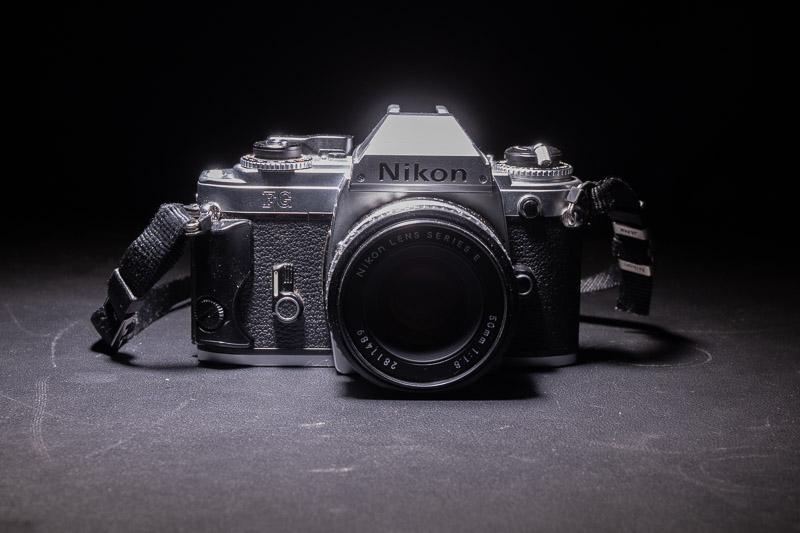
You can also bounce its light off a light-coloured surface and use it as a key light in a dark studio or a room without windows and strong daylight. This requires either a magic arm or something similar, or two stands: one for the light and one for the bounce surface or other modifiers.


However, it is hardly powerful enough to serve as a main key light in a studio for larger setups or in very bright rooms.
Even when used as a fill light, it can be beneficial to bounce the light off a bounce surface or another light-coloured surface, such as polyethylene foam sheets or a bedsheet. It also works well for illuminating a face in backlit situations, such as when someone is standing in front of a window. And, of course, it is excellent as an accent light.
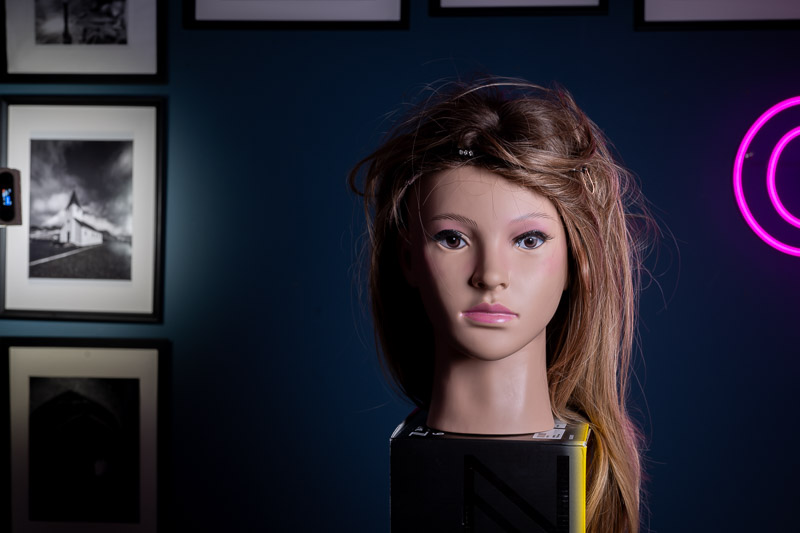
The Molus X100 RGB, on the other hand, is about the same size without the battery attached, but it is a completely different beast.
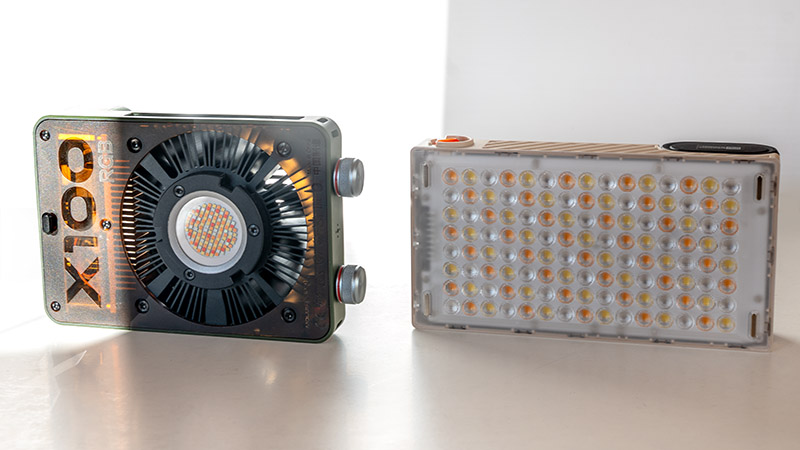
It is a little brighter out of the box, can be powered with an AC cable for longer sessions, and has the huge advantage of supporting two mounting systems: the ZY mount, Zhiyun’s proprietary mount, and the more common Bowens mount, with a huge range of accessories and modifiers available.
I said it is a little brighter than the M60 Ultra out of the box, but there is also a lens attachment included in the kit that can increase the brightness by two times, as I measured the light bounced off a gray card, which corresponds to a one-stop increase.
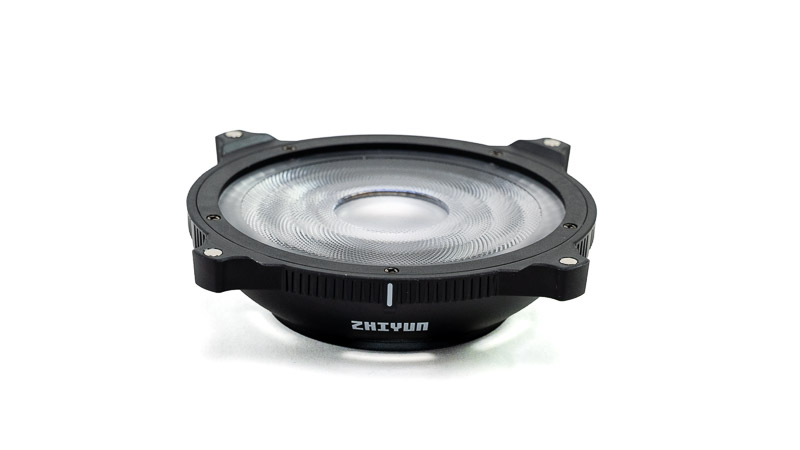
There is also a barn door in the box that can be used as a gobo to cast a shadow over the lens when the light is in the camera’s field of view, helping to prevent flare. It’s worth mentioning that the barn door attaches magnetically to the accessory lens, so it can only be used when the lens is attached and nothing else is mounted on the front. Also, when using the lens that attaches to the mount, you cannot use any other modifiers on top of it. So you have to choose between the lens, which increases the brightness, and a modifier, which actually decreases it.
There is also a small parabolic softbox with a grid, which is included in the PRO package. The softbox has a fairly modest diameter of about 35 cm.

Nevertheless, it does a good job of softening the light when placed close to the subject.

Conclusion / Which One Is for You
The Fiveray M60 Ultra’s design focuses the light natively out of a slim profile, making it effortless to slide into a camera bag, mount directly on top of a camera, or place in tight spaces (e.g., inside a vehicle). Runs on an internal battery, which lasts for about 30 min at full power. It is powerful for its size and powerful enough to be used as the key light inside a studio or indoors with dim light, but not as a key light outdoors during the day or even in bright indoor settings. It is very versatile when it comes to adjustments and colors and also has a few FX effects. It works well as fill light or accent light anywhere.
The Molus X100 RGB offers a modular power approach: a snap-on battery or external AC power, which is better suited for long video shoots on stands. It has a hard light, but you can attach different modifiers to it via its ZY mount or Bowens mount. You have vast freedom to choose light modifiers thanks to its ZY and Bowens adapter, and depending on the package, you get a few modifiers in the box. Note, though, while it is more powerful than the M60, it is still not powerful enough as a key light outdoors or in very bright rooms during the day.
One thing that can be said about both of these lights is that they are very compact and lightweight for the amount of light they produce, while also being comparatively affordable.
Choose the Fiveray M60 Ultra if you need an all-in-one, run-and-gun panel light that requires zero assembly. It is ideal for handheld/vlog setups, quick fill light on mobile or mirrorless cameras, mounting in tight spaces, or keeping in a backpack without taking up space for separate power bricks and light modifiers. Generally, if you want a panel light that is 60 W in a compact and affordable package, this is a good option.
Choose the Molus X100 RGB if you are setting up traditional key or accent lighting, where light shaping is critical. It can create cinematic character lighting with depth and strong shadows. Its COB point-source design and compatibility with softboxes, spotlights, and Bowens modifiers make it much more capable as a primary studio or interview key light, although I would prefer a somewhat more powerful light when using it with a softbox.
Writing articles like this one is both time-consuming and costs us a lot of money. If you found this article helpful and decided to buy one of these lenses, please consider using one of the affiliate links.
If you found this article useful, interesting, or it saved you money, consider supporting our work. You can make a donation or buy us a coffee —every contribution is greatly appreciated.
| Where to Buy
Molus X100 RGB $369 (Affiliate links) |
Further Reading
What camera gear and accessories do I use most frequently?
Support Us
Did you learn something new, find this article useful, or simply enjoy reading it? We’ve put a lot of time and resources into creating it, and your support helps us keep going. If you’d like to show your appreciation, please consider clicking the Donate button!



(Donations via Paypal or bank card)
Or alternatively support us via this link.
What’s in my camera bag? MY 2026 KIT!!
- Main camera : https://amzn.to/3TsGtKg
- Camera grip : https://amzn.to/4e0G3CR
- Memory Card 1: https://amzn.to/47pA20i
- Memory Card 2 : https://amzn.to/3XHYxlZ
- Camera 2 : https://amzn.to/3Xifou8
- Camera grip: https://amzn.to/4dYYpV9
- Memory card 1: https://amzn.to/4e5h2H0
- Memory card 2: https://amzn.to/3zu7W7n
- Main tripod: Leofoto LS-324CPRO
- Small travel tripod: https://amzn.to/4goIX68
- Mini tripod: https://amzn.to/4e09XXX
- Small shoulder bag: https://amzn.to/47tPMiY
- Medium shoulder bag: https://amzn.to/4ej4bjY
- APS-C camera 1: https://link.amazon/B0iKSCc8a
- APS-C camera 2: https://link.amazon/B0duP43QI
This site contains affiliate links, for which I may receive a small commission if you purchase via the links at no additional cost to you. This helps support the creation of future content.


Martin
Latest posts by Martin (see all)
- REVIEW: Zhiyun FIVERAY M60 Ultra & Molus X100 RGB - October 11, 2026
- Analogue Photography: Part 7 — Gran Canaria with Kodak Portra 400 - September 30, 2026
- REVIEW: Leofoto 25L All-in-One Travel & Camera Backpack - September 16, 2026